
Sanjay Rane I Product Designer

Netflix App on VR

The Netflix app on Oculus Quest or VR will provide a unique and immersive way to watch your favourite TV shows and movies in a virtual environment.

Overview

Objective: The objective of this project was to improve the user experience for the Netflix app by addressing the pain points that users faced and enhancing the app's usability, accessibility, and overall appeal.


Roles & Responsibilities

  • User Research: User Flow, Journey Mapping,
  • UX Design: Sketches, Wireframing,
  • Prototyping: User Interface, Style Guide and Interaction

My User Interface Design Process

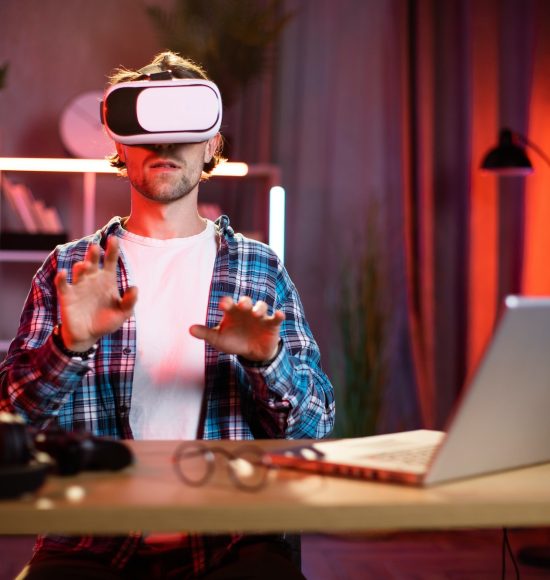
Young caucasian man sitting at home office and using VR glasses and laptop for remote work.

DISCOVERY

  1. Intuitive Navigation: The user interface of the Netflix app need to be intuitive and easy to use. Users should navigate through the menus and select their desired content using the Oculus Quest controller, should features a simple and intuitive interface.
  2. Clear and Simple Design: The user interface of the Netflix app on should designed to be clear and simple, with large buttons and easy-to-read text. This makes it easy for users to quickly find the content they're looking for and start watching.
  3. Customizable Settings: user should be able to customize their settings to suit their preferences. This includes the ability to adjust the screen size and position, change the virtual environment, and adjust playback settings such as subtitles and audio.
  4. User Profiles: The Netflix app can supports multiple user profiles, allowing each user to have their own personalized recommendations and settings. Users can switch between profiles easily, and the app will remember their viewing history and progress.
  5. Seamless Integration: The Netflix app on Oculus Quest seamlessly integrates with with multiple  Oculus Quest, allowing users to watch content together

User Personas

Name: Sarah

Age: 30

Occupation: Traveling Business Executive

Background: Sarah travels frequently for work, spending long hours on planes, trains, and in hotel rooms. She enjoys watching movies and TV shows to pass the time during her travels. She recently purchased an Oculus Quest and is interested in using it to watch Netflix on-the-go.

Goals: Sarah’s main goal is to stay entertained and pass the time during her frequent travels. She wants to use Netflix on her Oculus Quest to watch her favorite movies and TV shows in a more immersive way than on her phone or laptop.

Challenges: Sarah’s primary challenges are finding time to watch movies during her busy travel schedule and finding a comfortable and convenient way to use the Oculus Quest while on-the-go

Name: Alex

Age: 22

Occupation: College Student

Background: Alex is a college student who commutes to campus daily by bus or train. They enjoy watching movies and TV shows during their commute to pass the time and relax before and after class. Alex recently purchased an Oculus Quest and is interested in using it to watch Netflix on-the-go.

Goals: Alex’s main goal is to have a more immersive and engaging experience while watching movies and TV shows on their commute. They want to use Netflix on their Oculus Quest to feel like they are in a movie theater, even while on a crowded bus or train.

Challenges: Alex’s primary challenges are finding a comfortable and convenient way to use the Oculus Quest while commuting and managing their time effectively to ensure they can watch their favorite shows without being late for class or other commitments.

Name: David 

Age: 35 

Occupation: Software Engineer and Parent

Background: David is a busy working professional and a parent of two young children. He wants to provide quality entertainment for his family during their travels. He plans to use his Oculus Quest to watch family-friendly movies and shows with his children.

Goals: David’s main goal is to find age-appropriate and engaging content on Netflix that his whole family can enjoy. He wants to use the Oculus Quest to create memorable family movie experiences, especially during long trips or vacations.

Challenges: David faces the challenge of finding movies that cater to his children’s interests and age group. He also wants to ensure that the parental control features on the Netflix app are easily accessible and customizable to maintain appropriate content for his kids.

Research

I have conducted extensive user research to gather insights into the user behavior, preferences, and pain points. The research included a combination of qualitative and quantitative methods, such as user interviews, surveys, analytics, and usability testing.

The key findings from the research were:

  1. Users had difficulty finding content that matched their interests, and the search feature was not intuitive.
  2. The navigation and layout of the app were confusing, especially for new users.
  3. Users wanted more personalized recommendations and a more seamless viewing experience.
A group of Asian UI developers, designers, and data researchers are brainstorming their projects

Insights

70%

PERSONALIZATION is Key

A 2020 survey by the research firm PwC found that respondents would be willing to pay more for a streaming service that offers personalized recommendations based on their viewing history. This suggests that users value recommendations and suggestions from the app based on their past viewing behavior, and that apps should prioritize personalization features in their app design.

80%

User Reviews are IMPORTANT

Respondents said that reviews and ratings influence their decision to watch a movie or TV show on a streaming app. This indicates that user reviews and ratings can significantly impact the success of a movie streaming app, and that the app should prioritize features that allow users to easily review and rate the content they watch.

91%

SOCIAL SHARING

AR/VR users tend to be social and enjoy sharing their experiences with others. Therefore, movie streaming apps on AR/VR platforms should provide features that allow users to share their viewing experience with friends and family, such as social media integration or multiplayer functionality.

User Flow

I have conducted extensive user research to gather insights into the user behavior, preferences, and pain points. The research included a combination of qualitative and quantitative methods, such as user interviews, surveys, analytics, and usability testing.

The key findings from the research were:

  • Users had difficulty finding content that matched their interests, and the search feature was not intuitive.
  • The navigation and layout of the app were confusing, especially for new users.
  • Users wanted more personalized recommendations and a more seamless viewing experience.

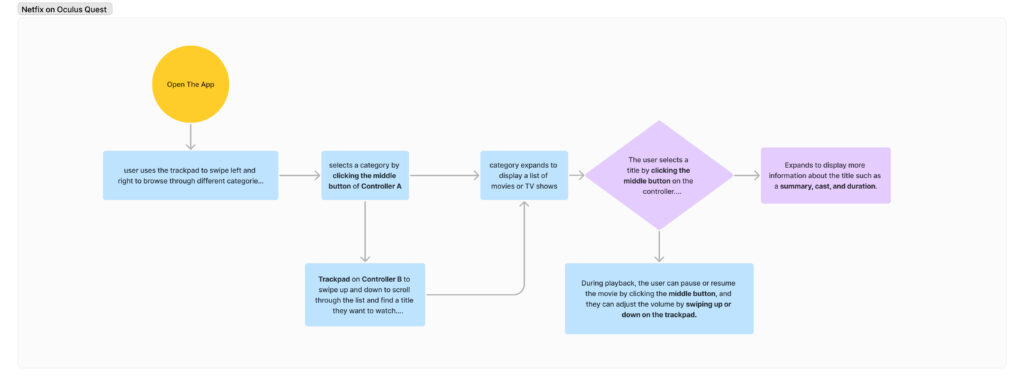
User journey for someone using a movie app on Oculus Quest or VR should be seamless, intuitive, and immersive. The app should provide a high-quality movie-watching experience and allow users to customize their settings to their preferences.

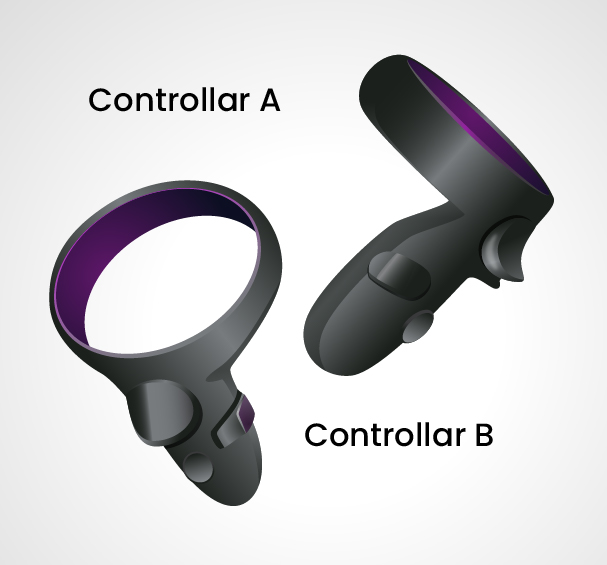
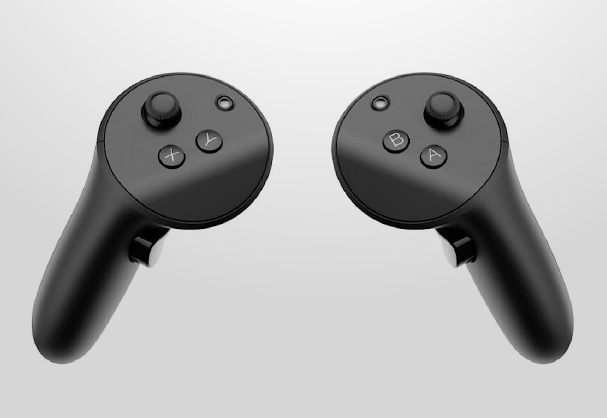
Controller Interactions

  • Controller Pointer : This can be used for a hovering effect, similar to a mouse hover. This can be particularly useful when navigating through menus or selecting options without actually clicking on them. Additionally, it can be used to highlight certain elements on the screen, drawing the user's attention to specific areas.
  • Trackpad: The Trackpad is a versatile tool that can be used to swipe left and right, scroll up and down, or navigate through different sections of the app. In a video player, holding down the swipe left or right gesture can be used for fast forward or backwards, allowing users to quickly skip through content or revisit a specific scene.
  • Controller (B)
    • Button 2(Main Click): is an easily accessible button that can be used as a tap. This button can be utilized in a variety of ways, depending on the specific application. For example, in a video player, it could be used to play or pause the video, while in a game, it could be used to jump or shoot.

    • Button 1 (Back Button): If the user wants to exit the movie, they can click the left button to return to the main menu. Additionally, a long press on Button 1 would exit the app entirely. This provides users with a quick and easy way to leave the current content and return to the main menu or exit the app altogether. It is worth noting that this button can also be utilized as a back button.

  • Controller (A):

    Button 2 is designated for app settings. This button provides access to a variety of settings and options, such as audio and video settings, language preferences, and account information.

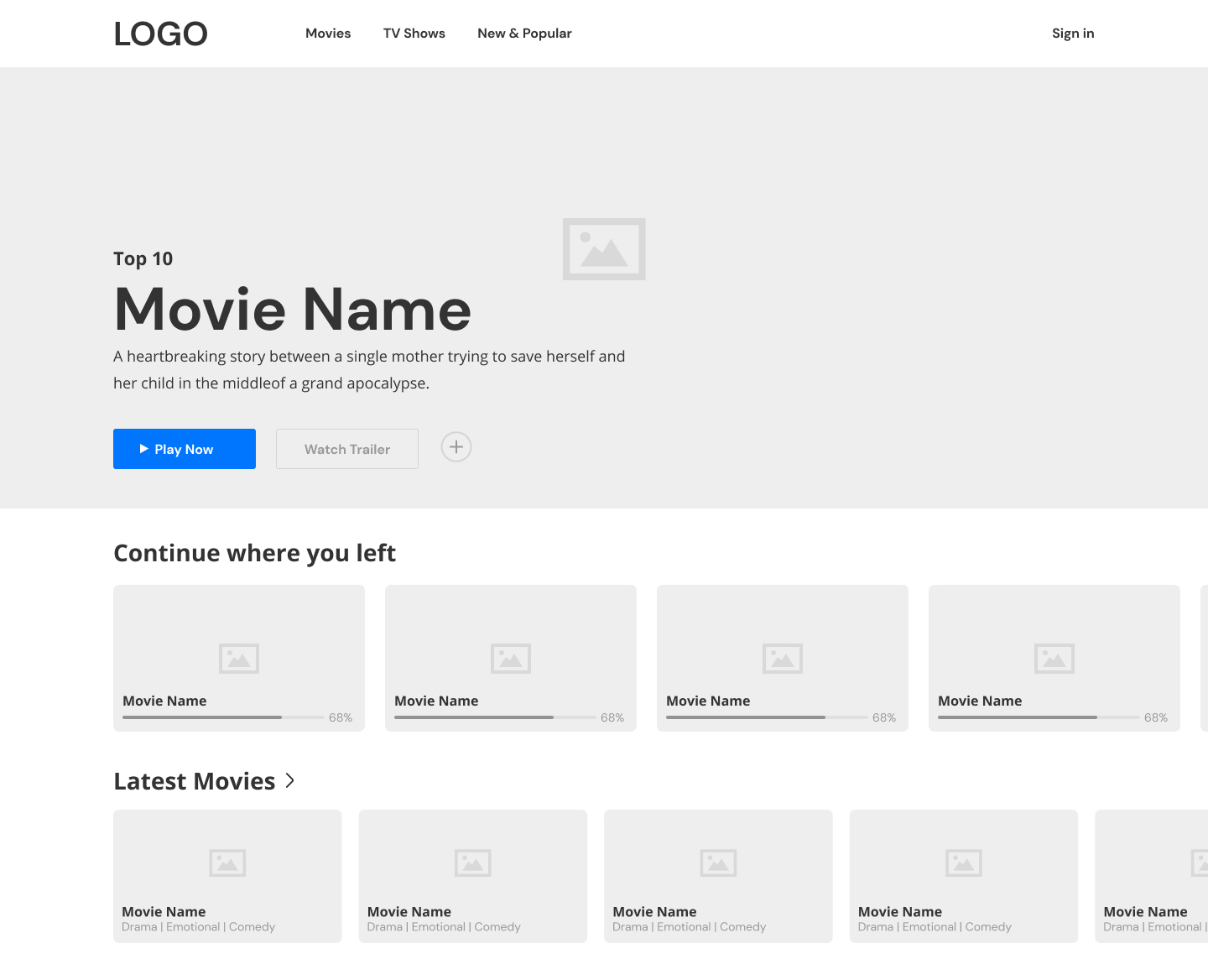
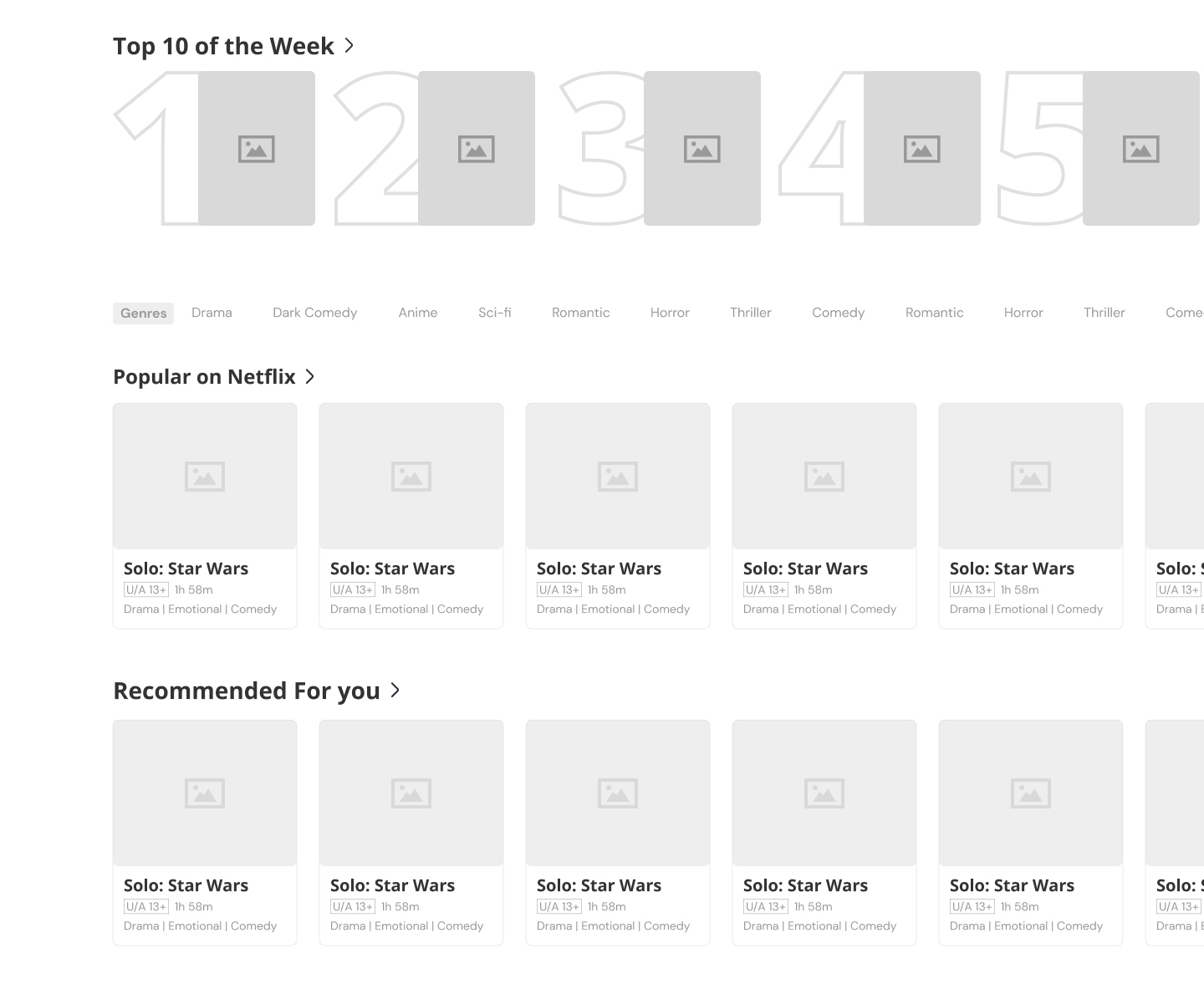
Wireframe & UI

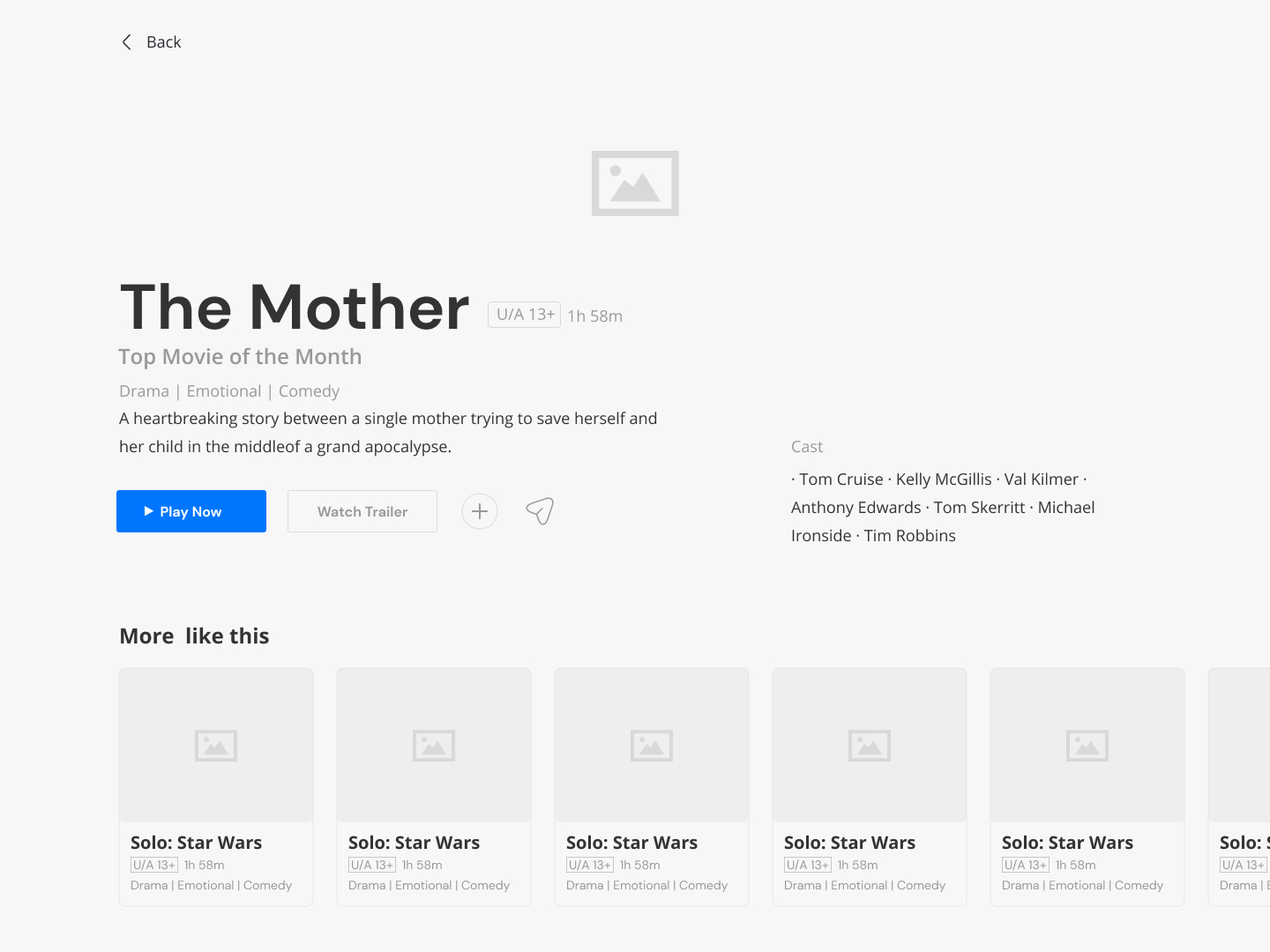
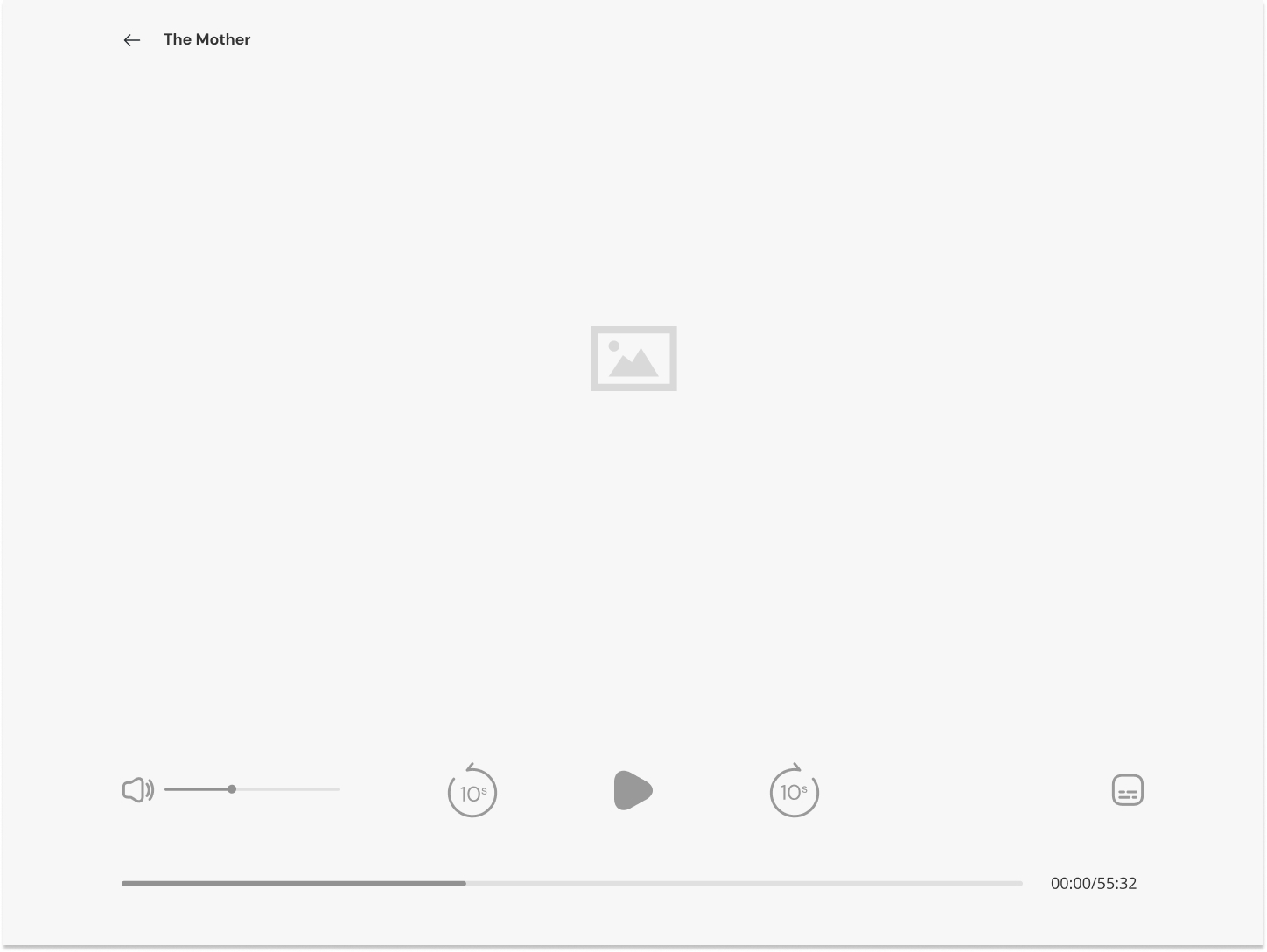
Creating wireframes and prototypes helped me to test my design ideas and validate my assumptions. This will help me to identify any potential design problems early on in the process, before investing too much time and resources.

Design
App View In the Oculus Quest

EMAIL

sanjay.rane2@gmail.com

PHONE

+91 9920101920

COPYRIGHT © SANJAYRANE 2023. ALL RIGHTS RESERVED.